One workspace. Three ways to work.
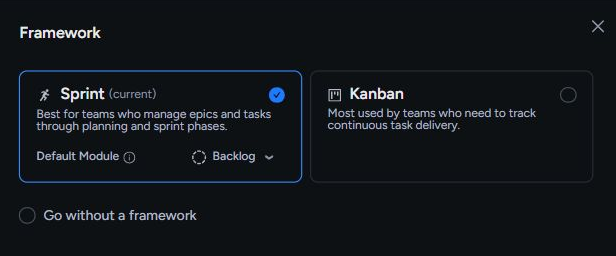
Choose Sprint, Kanban, or a flexible backlog for each team space. The navigation and planning flow adapt automatically.
Built for engineering teams
Plan clearly, shape the workflow, and keep work moving without babysitting the tool.
Free forever. No credit card required.


Taskonio stays approachable on day one, then gives your team more control as the work becomes more complex.
Choose Sprint, Kanban, or a flexible backlog for each team space. The navigation and planning flow adapt automatically.
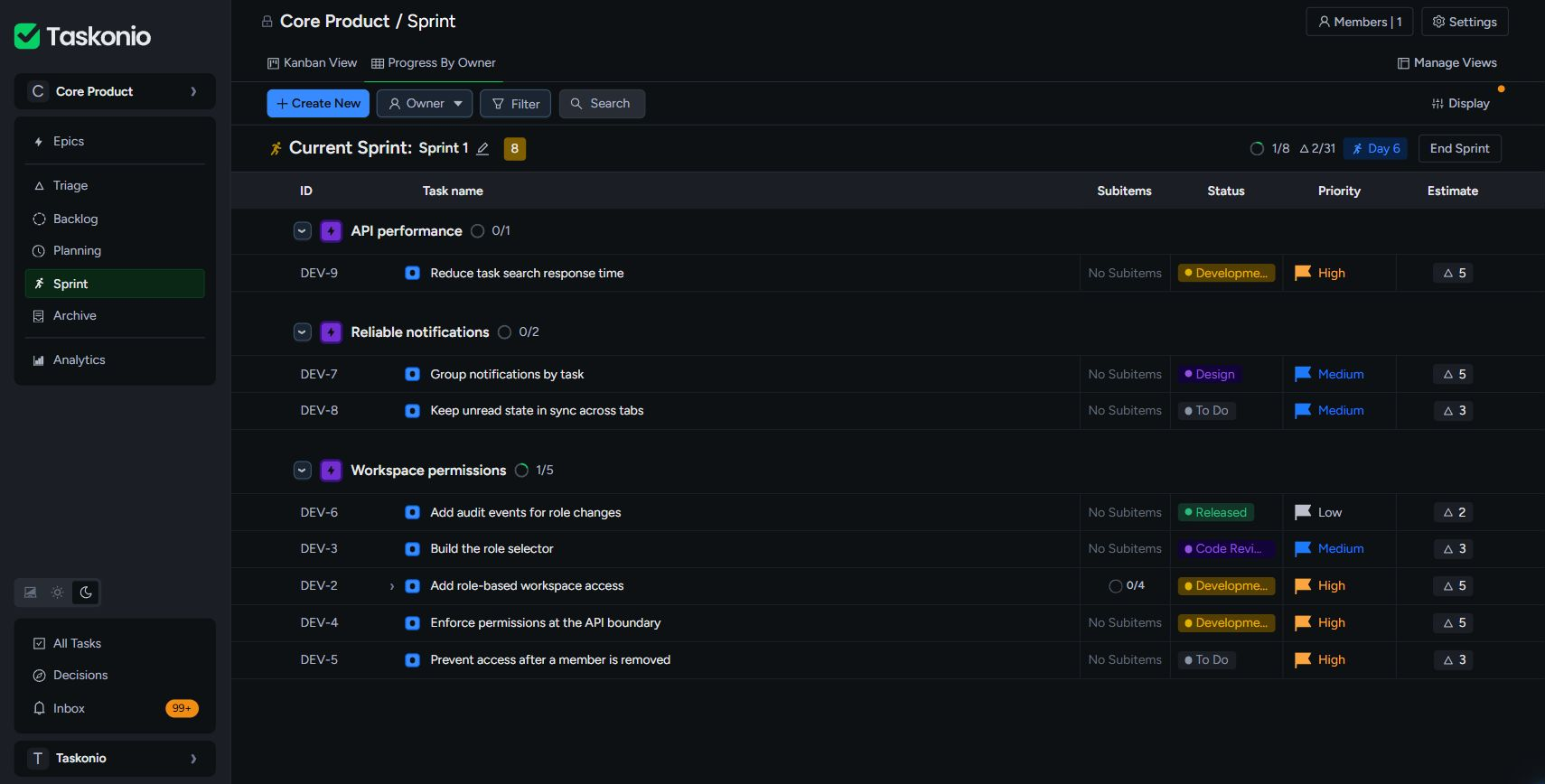
Select work, see the scope update, and start the sprint when the plan feels real.
Shape an idea into a clear spec, then break it into actionable work. Review every draft before the team sees it.
Taskmanagementshoulddisappearintothework.Clearenoughtounderstandimmediately.Flexibleenoughtofittheteam.Fastenoughtokeepthoughtandexecutioninthesameflow.
The workflow
The product connects planning and execution without making either one heavier than it needs to be.
Explore every feature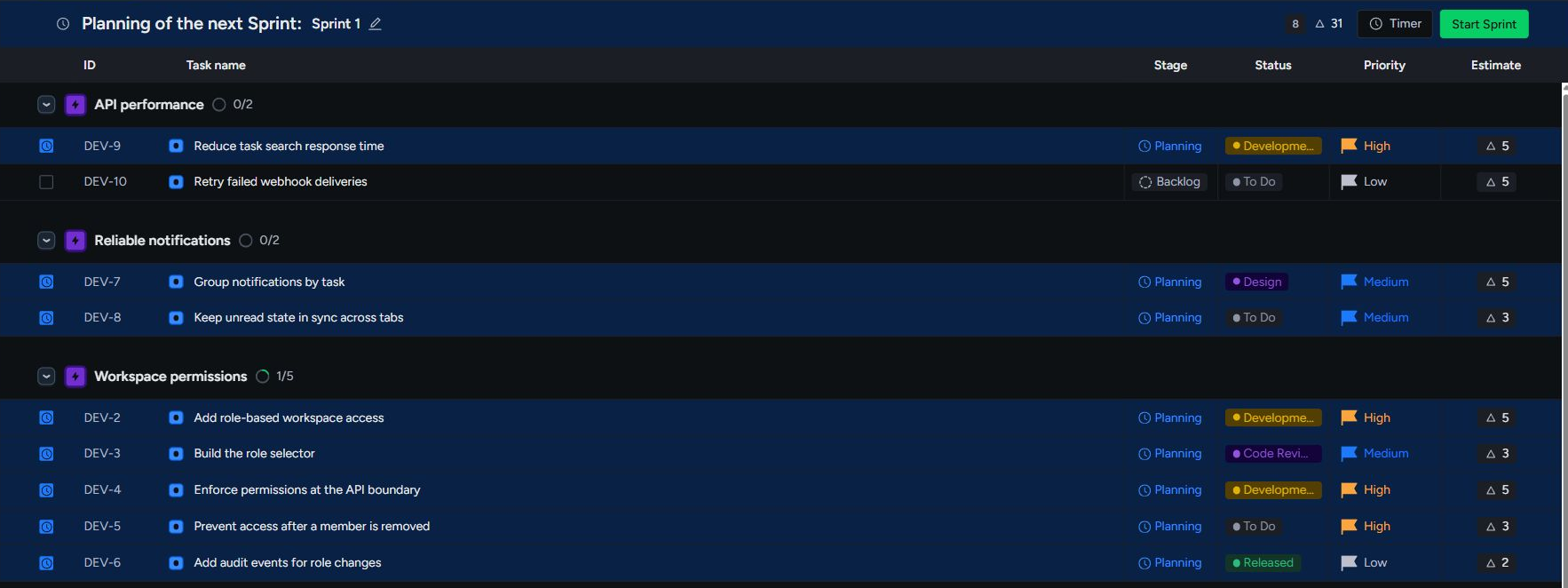
Plan sprints in minutes with three focused modules - Backlog, Planning, and Sprint - plus live scope totals and flexible views for every planning conversation.
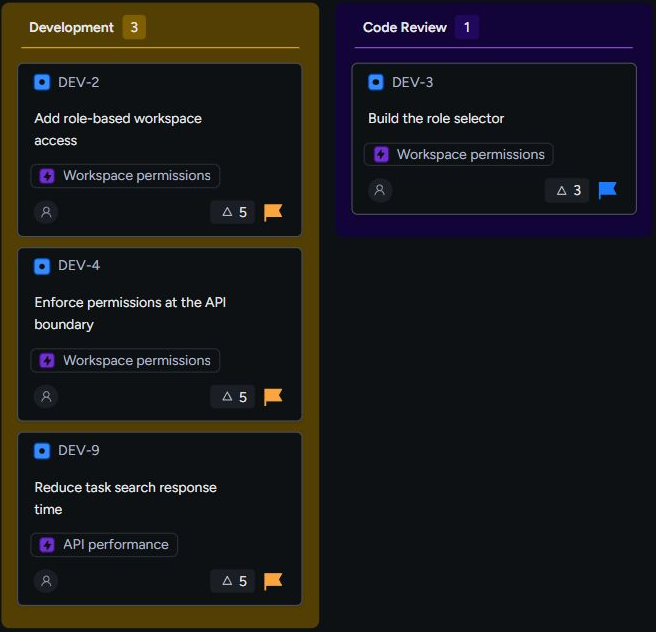
Choose Kanban for a clean two-module flow - Backlog and Kanban - with table and board views for teams that want continuous delivery without sprint ceremony.
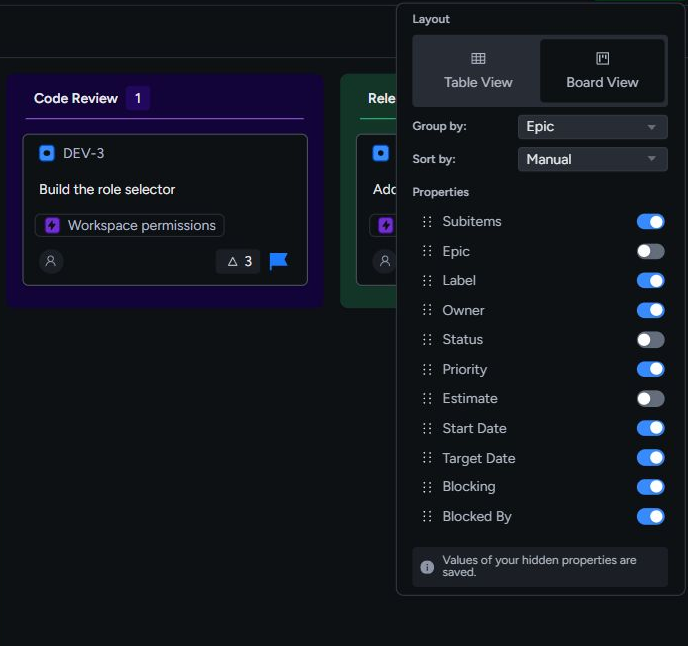
Create multiple table and board views across Backlog, Planning, Sprint, and Kanban, then keep adjustments local or share them with the team.
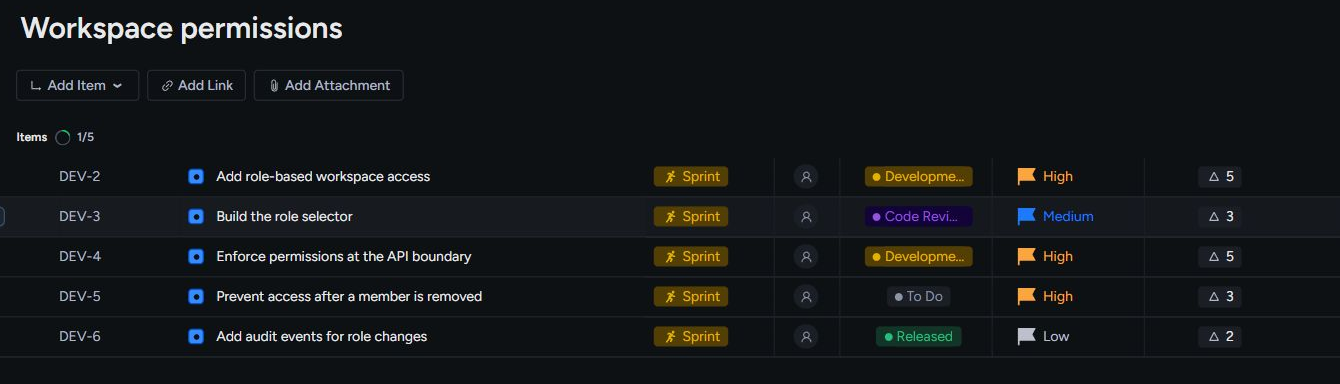
Organize work in team spaces, connect initiatives to epics, items, and sub-items, and give each piece the ownership and properties it needs.
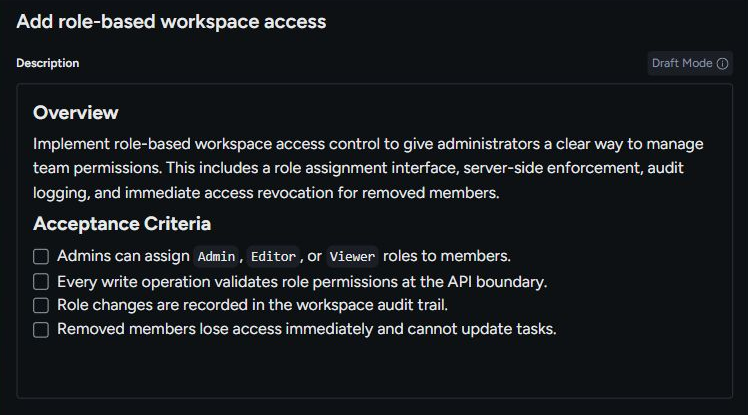
Use Vibe Speccing to draft a specification, Vibe Breakdown to propose child work, and Decisions to review AI recommendations against the current state of a task.

Keep assignments and mentions open until they are handled, while routine activity clears naturally after you read it.
Taskonio AI
Vibe Speccing and Vibe Breakdown are distinct Taskonio features. One shapes the specification. The other turns it into reviewable, actionable work.
Vibe Speccing
Add the title and context. Taskonio drafts a type-aware description and acceptance criteria, while you remain in control of what gets saved.
Vibe Breakdown
Break down an epic or item, then rewrite, reorder, or remove every suggestion before applying the plan.
Taskonio MCP
Connect through the Model Context Protocol. Claude Code, Claude Desktop, Cursor, Windsurf, and other compatible clients can work with your tasks, spaces, and sprints.
Set up Taskonio MCPAuthorized workspace connection
Streamable HTTP endpoint
https://api.taskonio.com/v1/mcpAuthenticate once, then choose which Taskonio workspace your compatible agent can access.
From the teams using Taskonio
Taskonio is for teams who find Jira bloated, Linear too opinionated, and tools like Asana or Notion not suited for real engineering work.
Senior Software Engineer
B2B SaaS startup, San Francisco
Taskonio is for pragmatic teams who value simplicity, quality, and speed.
Product Manager
Growth-stage startup, Stockholm
Taskonio helped us simplify our process and reduce unnecessary overhead.
Founder
Outsourcing Agency, London
Taskonio is designed for small and growing engineering-led teams that want less process, faster onboarding, and room to shape their own workflow.
Create an organization or join an existing one through your email domain, create a team space, choose its initial framework and visibility, then invite teammates.
No. A team space can use Sprint, Kanban, or no framework. The workspace adapts to the choice, and guided property remapping supports changing frameworks later.
Yes. Framework choice belongs to each team space, so one organization can support sprint teams, Kanban teams, and teams using only a backlog.
Taskonio supports epics, items, and sub-items. Items and sub-items can be tasks, bugs, stories, features, improvements, experiments, or ideas.
Modules can contain multiple table or board views. Display options and filters can remain local or be deliberately shared with the team space.
Vibe Speccing drafts type-aware descriptions and acceptance criteria. Vibe Breakdown proposes typed child work. Both keep generated content in a reviewable draft until someone approves it.
Assignments and direct mentions become persistent Actions that require deliberate completion. Informational activity appears in Updates and clears from the default unread view after it is read.
Yes. Taskonio provides an MCP server for Claude Code, Claude Desktop, Cursor, Windsurf, and other compatible clients. It can work with authorized tasks, workspaces, sprints, planning sessions, and Taskonio AI tools.
Create a workspace, choose how your team works, and start moving real work forward.
No credit card. No setup call.